
Samsung Microwave SE Error Code: Causes & How to Fix It (2026 Guide)
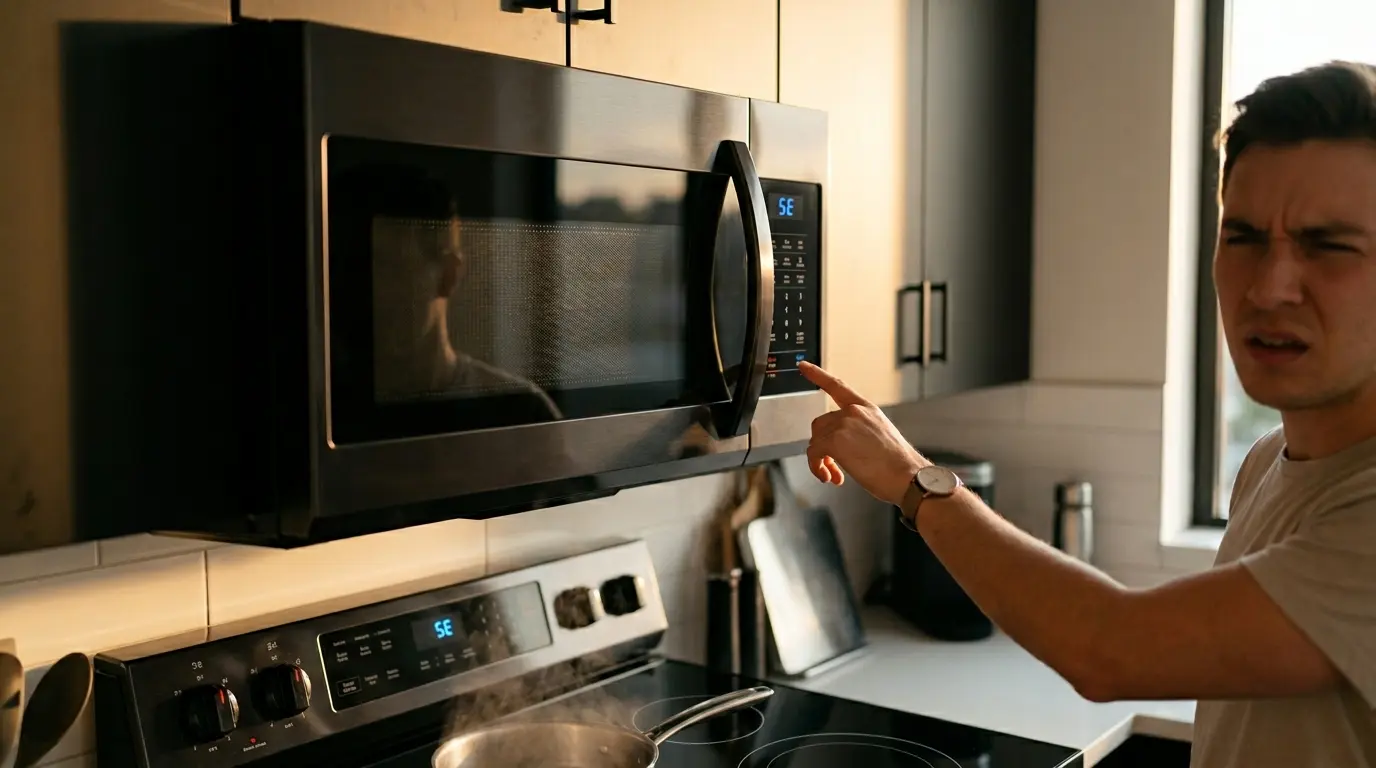
You go to heat up your dinner, but instead of the normal digital clock display, your Samsung microwave is flashing an annoying “SE” on the screen and completely refusing to operate. Because of the blocky, seven-segment digital font used on most displays, many frustrated homeowners misread this as the “5E” error code.
Whether it looks like an S or a 5 to you, this is one of the most notoriously common glitches on modern Samsung microwaves. However, there is good news. Unlike the terrifying visual of a Microwave Sparking Inside or the silent, expensive failure of a Microwave Not Heating But Running, the SE error is usually a surface-level communication issue.
It is rarely a dangerous, high-voltage hardware failure. Below, we break down the engineering behind exactly what the SE error code means and provide four step-by-step methods you can use to clear the code and get your appliance working again tonight.
The Quick Answer
The SE (or 5E) error code on a Samsung microwave means “Sensor Error” or “Key Short.” The main control board detects that a button on the front keypad is permanently stuck or pressed down for more than 60 seconds, triggering a safety lockdown. You can often fix this by doing a Hard Reset (unplugging for 60 seconds), massaging the keypad with a warm, damp cloth to release stuck grease, or by unscrewing the control panel and cleaning the ribbon cable with a pencil eraser to remove electrical corrosion.
What Exactly Does the SE (or 5E) Error Mean?
In Samsung’s official diagnostic language, “SE” stands for Sensor Error. However, in their internal technical manuals used by repair technicians, it is more accurately described as a “Key Short Error.”
To understand this, you have to understand how modern microwave keypads are built. They do not use traditional mechanical buttons with metal springs. Instead, they use a membrane switch. This consists of two thin, flexible layers of plastic coated with conductive metallic traces, separated by a microscopic gap of air. When you press a “button” on the front panel, you are physically squishing those two layers together, completing an electrical circuit.
The 60-Second Safety Protocol
This error code is actually a brilliant safety feature. If the internal computer registers that a button is being held down continuously for more than 60 seconds (an electrical “short”), it assumes the keypad is malfunctioning. To prevent the microwave from accidentally turning on by itself and running endlessly—which could cause a massive kitchen fire—the computer completely locks the appliance down and throws the SE error code to alert you.
The 3 Most Common Causes of the SE Error
Membrane switches are highly reliable, but they are incredibly sensitive to environmental contamination. Here is what usually goes wrong:
1. Moisture or Steam Infiltration
This is the number one cause for Over-the-Range (OTR) microwaves installed directly above a stove. When you boil a large pot of water or cook pasta directly beneath the microwave, massive amounts of heavy steam rise upward.
Through capillary action, this microscopic moisture works its way behind the plastic fascia and into the layers of the keypad membrane. Because water is conductive, the moisture creates an electrical bridge between the two layers, tricking the computer into thinking a button is being pressed. Once the moisture dries, the error often magically disappears.
2. Grease, Grime, and “Stiction”
Kitchens are greasy environments. Aerosolized cooking fats float through the air and settle on the front of your appliances. Over years of use, a sticky, microscopic residue builds up on the front of the keypad.
If you press a button with greasy fingers, the two plastic layers inside the membrane can physically stick together (a phenomenon known in engineering as stiction). Even when you pull your finger away, the layers remain glued together, causing the continuous “short” that triggers the SE code.
3. A Loose or Corroded Ribbon Cable
The keypad sends its signals to the main green computer board via a flat, delicate ribbon cable. Over time, the constant vibration of opening and slamming the heavy microwave door can cause this cable to wiggle loose from its connector. Additionally, high humidity can cause the exposed silver or carbon traces on the tip of the ribbon cable to oxidize (corrode), scrambling the electrical signals and triggering a sensor error.
4 Steps to Fix the Samsung SE Error Code
Work your way through these diagnostic fixes from the easiest, non-invasive methods to the most advanced DIY repair. Most SE errors can be successfully resolved without ever picking up a screwdriver.
Step 1: The Hard Reset (Power Cycle)
Modern Samsung microwaves are essentially small computers, and like any computer, smartphone, or router, they sometimes just need a hard reboot to clear a temporary software glitch out of their RAM.
- The Fix: Unplug the microwave directly from the wall outlet. If it is an Over-the-Range model and the plug is hidden inside the upper cabinet, or if you simply cannot reach it, go to your home’s main electrical breaker box and flip the breaker switch for the kitchen to the OFF position.
- The Secret: You must wait a full 60 seconds. Do not plug it back in immediately. The main control board has capacitors that hold residual power. Waiting 60 seconds ensures these capacitors drain completely, forcing the motherboard to perform a totally fresh boot sequence.
- The Result: Plug it back in. If the clock reappears normally and the SE code is gone, it was just a temporary software glitch.
Step 2: Deep Clean and “Massage” the Keypad
If the hard reset did not work and the SE code immediately returned, you almost certainly have a physically stuck key due to grease stiction or trapped moisture.
- The Prep: Take a slightly damp (not soaking wet) microfiber cloth with a tiny amount of degreasing dish soap (like Dawn). Vigorously wipe down the entire keypad to remove any surface oils.
- The Massage: After wiping it down, use your thumb to firmly massage and press every single button on the keypad multiple times. Press in a circular, rolling motion. Pay special attention to the buttons you use most often (like “Start”, “Stop”, or “Add 30 Sec”), as these membranes endure the most wear.
- The Result: This physical manipulation forces the stuck plastic layers underneath the fascia to pop apart and unstick. Wipe the keypad completely dry with a paper towel and plug the machine back in.
Step 3: Reseat the Ribbon Cable (Advanced DIY)
If the keypad is perfectly clean and the unit is still flashing SE, the communication cable inside the microwave is likely loose, dusty, or experiencing slight corrosion. This is the #1 permanent fix for persistent SE errors.
You must unplug the microwave before attempting this. Never open the casing of a microwave while it is plugged in. The internal high-voltage capacitor can hold a lethal charge. Only proceed if you are comfortable with basic appliance disassembly and know to avoid touching the large silver capacitor block entirely.
- Access the Board: You need to access the control board. On most Samsung models, this involves removing the top grill (for OTR models) or the outer metal cabinet casing, and removing the 1 or 2 screws holding the control panel assembly in place.
- Locate the Cable: Look behind the keypad. You will see a flat, wide, transparent “ribbon cable” that runs from the plastic keypad to a connector on the green circuit board.
- Clean the Contacts: Gently lift the locking collar on the ZIF (Zero Insertion Force) connector and carefully pull the ribbon cable out. Take a standard pencil eraser and gently rub it across the exposed metal/carbon traces at the end of the ribbon cable. The eraser acts as a micro-abrasive, perfectly removing invisible oxidation and corrosion without damaging the delicate traces.
- Reassemble: Push the ribbon cable firmly and evenly back into its slot, push the locking clip down to secure it, and reassemble the panel. Plug it in. The SE error should be permanently cured.
Step 4: Replace the Keypad Assembly
If you have successfully cleaned and reseated the ribbon cable and the SE error immediately returns upon plugging the unit in, the touchpad membrane has permanently failed. The internal layers of the keypad have completely delaminated or shorted out due to severe moisture damage and cannot be repaired.
- The Fix: You will need to order a replacement keypad. On modern Samsung models, this is often sold as the entire front fascia assembly (the plastic frame with the keypad already glued to it).
- Ordering: Find your exact Samsung model number (located on a sticker inside the door frame) and order the OEM replacement part. Simply swapping the old front panel for the new one by plugging in the new ribbon cable will instantly cure the SE error.
The Verdict: Repair or Replace?
The great news about the SE error is that it rarely requires scrapping the entire microwave. Unlike a dead magnetron, a ribbon cable reseat is a completely free fix that only takes 15 minutes of your time. Even if the membrane is dead, a replacement control panel usually costs between $50 and $90, which is far cheaper than buying a new $300 Over-the-Range appliance.
However, you must weigh the age of the machine. If your Samsung microwave is over 5 to 7 years old, the interior is heavily stained, and the SE error is accompanied by peeling, bubbling plastic on the keypad, spending $100 on a replacement part might not be the best long-term investment. It may be time to cut your losses and upgrade to a newer model with a more durable glass-touch interface.
Is It Time to Upgrade Your Kitchen?
If you are considering upgrading rather than repairing, be sure to check out our complete brand showdown to see which models offer the best reliability, smartest features, and easiest maintenance in 2026.
Read: LG vs Samsung Microwave: The 2026 Brand ShowdownExplore More Appliance Diagnostics
Don’t let a simple error code ruin your appliance. Visit our complete hub for more expert troubleshooting tips, safety guides, and DIY repair instructions.
FAQ: Samsung Microwave SE (5E) Error
2026 Guide: Troubleshooting the Keypad Sensor Code
Troubleshooting Tip: A thorough cleaning of the exterior keypad with rubbing alcohol and a microfiber cloth is the fastest way to clear a temporary SE error!

