
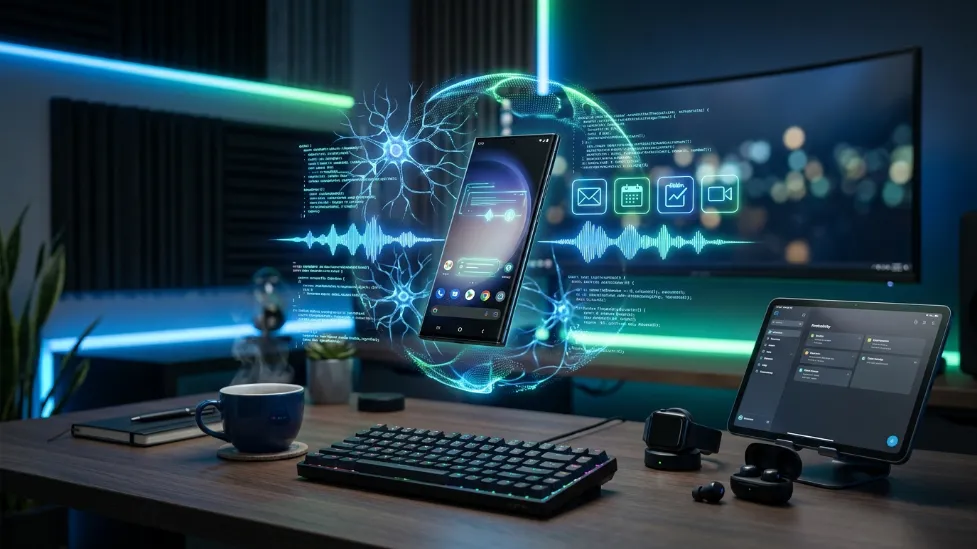
Best AI Apps for Android in 2026 (Tested & Ranked)
Artificial intelligence is no longer a cloud-based novelty; it has fundamentally re-engineered the mobile operating system. In 2026, Android devices are equipped with highly specialized Neural Processing Units (NPUs) built directly into their Snapdragon and Google Tensor chipsets. This allows modern smartphones to run complex, billions-of-parameters algorithms directly in the palm of your hand.
However, the app ecosystem is massively fragmented. Not every AI application delivers the same technical experience. Some rely entirely on high-latency cloud servers, draining your battery and mobile data, while others utilize highly optimized Small Language Models (SLMs) that process tasks completely offline. Battery consumption, memory (RAM) allocation, privacy protocols, and subscription costs vary wildly.
This definitive guide ranks the absolute best AI apps for Android based on real-world usability, computational efficiency, and deep OS integration. Whether you need an aggressive productivity companion, an intelligent research tool, or an image generator, these are the apps dominating 2026.
The Quick Answer
If you are looking to transform your smartphone into a true computational assistant, these are the absolute top choices for Android in 2026:
- ChatGPT: Best overall conversational assistant and reasoning engine.
- Google Gemini: Best for deep, system-level Android integration.
- Claude: Best for massive context windows, document analysis, and natural writing.
- Perplexity AI: Best RAG-based AI search engine (with cited sources).
- Microsoft Copilot: Best for Enterprise and Microsoft 365 workflow automation.
I. What Makes a Great AI App for Android? (The Engineering)
The Android AI ecosystem has evolved rapidly over the last few years. Instead of simply pulling text from Wikipedia, modern AI applications now function as intelligent agents capable of understanding context, remembering multi-turn conversations, and executing commands across different apps. When evaluating these tools, we look at four critical engineering pillars.
Nobody enjoys waiting 10 seconds for a response. High latency ruins the illusion of an assistant. The best apps either utilize highly optimized API calls to massive cloud supercomputers or leverage on-device NPUs to process your voice and text locally, drastically reducing response times to mere milliseconds.
An AI is useless if you have to copy and paste text constantly. Applications that utilize Android’s system-level Intent framework can seamlessly interact with your notifications, calendars, Gmail, and screen context without manual input.
Large Language Models (LLMs) are incredibly data-hungry. A trustworthy AI application must offer strict “incognito” modes, clear opt-outs for training data collection, and end-to-end encryption for sensitive business documents.
AI models are mathematically designed to predict the next logical word, which sometimes leads to confident lies (hallucinations). The best apps use Retrieval-Augmented Generation (RAG) to cross-reference their neural network against live web data, ensuring factual accuracy.
II. The Top 5 AI Heavyweights for Android
1. ChatGPT (OpenAI)

ChatGPT continues to dominate the AI market in 2026 thanks to its sheer versatility and raw reasoning power. Built on their omni-model architecture, it processes text, audio, and visual inputs natively. This means when you use Voice Mode on Android, it isn’t translating your speech to text, analyzing the text, and converting it back to speech; it processes the audio tokens directly. This virtually eliminates latency and allows the AI to pick up on emotional tone, breathing, and interruptions perfectly.
- Unmatched logical reasoning and coding assistance.
- Native, latency-free Voice Mode.
- Massive ecosystem of custom GPT plugins.
- The best models are heavily locked behind a $20/month subscription.
- Can be a battery drain during extended Voice Mode sessions.
2. Google Gemini
Gemini feels less like an app and more like the central nervous system of Android itself. If you own a modern Pixel or Galaxy device, Gemini Nano runs directly on your hardware, processing local tasks instantly without needing an internet connection. For heavier tasks, it connects to Google’s cloud. Because it has system-level permissions, it can summarize a YouTube video you are currently watching, pull flight details from your Gmail, and map the route on Google Maps in a single, seamless prompt.
- Deep, uncompromised integration with Google Workspace (Docs, Gmail, Drive).
- Replaces the old Google Assistant perfectly.
- On-device processing for enhanced privacy.
- Can sometimes struggle with complex coding logic compared to ChatGPT.
- Advanced ecosystem features require the Google One AI Premium tier.
3. Claude (Anthropic)
Claude is the undisputed champion of the written word. Built using “Constitutional AI” to ensure safety and helpfulness, Claude excels at tone matching and structural organization. Its greatest engineering feat is its massive context window. You can upload entire 300-page PDF legal documents or massive datasets directly into the Android app, and Claude will perfectly recall, analyze, and summarize the data without “forgetting” the beginning of the document.
- The most natural, least “robotic” sounding writer on the market.
- Massive token limits for analyzing long-form documents.
- Exceptional coding and debugging capabilities (Sonnet model).
- Lacks the deep OS integrations of Gemini.
- No native image generation capabilities.
4. Perplexity AI
Perplexity fundamentally breaks the traditional search engine model. Instead of giving you ten blue links to websites riddled with ads, Perplexity uses an advanced RAG (Retrieval-Augmented Generation) pipeline. It reads the websites for you, extracts the data, and writes a highly summarized, conversational answer. Most importantly, it strictly cites its sources with footnote numbers, completely eliminating the fear of AI hallucinations.
- Live web access for real-time news and fact-checking.
- Strict source citations guarantee accuracy.
- Clean, distraction-free Android interface.
- Not designed for creative writing or brainstorming.
5. Microsoft Copilot
For enterprise workers, Microsoft Copilot is unmatched. Powered by the OpenAI framework but securely integrated into the Microsoft Graph, Copilot can access your company’s Teams chats, Outlook emails, and OneDrive spreadsheets securely. On Android, it serves as the ultimate professional assistant, allowing you to generate PowerPoint presentations or analyze Excel data while commuting.
- Enterprise-grade security and data protection.
- Free access to GPT-4 and DALL-E 3 image generation.
- Flawless Microsoft 365 workflow automation.
- The interface can feel slightly cluttered compared to competitors.
III. The Best AI Apps for Specialized Tasks
General-purpose chatbots are great, but sometimes you need a tool engineered for a highly specific workflow.
6. Grammarly (Best Writing Assistant)
Grammarly replaces your default Android keyboard, injecting powerful Natural Language Processing (NLP) directly into every app you use. It doesn’t just fix commas; it analyzes syntax trees to rewrite entire paragraphs, adjust your professional tone, and generate contextual replies in WhatsApp or Gmail instantly.
7. Canva AI (Best Design App)
Utilizing advanced Diffusion Models, Canva’s Magic Studio allows Android users to generate stunning, royalty-free artwork from simple text prompts. You can effortlessly remove complex backgrounds, infinitely expand image borders, and generate marketing templates, making it an absolute powerhouse for social media managers on the go.
8. Notion AI (Best Productivity)
Notion transforms your static notes into an interactive, semantic vector database. The built-in AI assistant can instantly read hundreds of your past meeting notes and extract specific action items, generate project timelines, or summarize massive wikis in seconds.
9. Adobe Firefly (Best Image Editing)
What sets Adobe Firefly apart is its ethical engineering: it was trained exclusively on licensed, royalty-free Adobe Stock imagery. This means the pixel-perfect generative fill and background replacements you create on your Android tablet are commercially safe and legally bulletproof for professional use.
10. Otter AI (Best Meeting Assistant)
Otter utilizes complex audio diarization algorithms to isolate and identify different speakers in a crowded room. It records college lectures or corporate meetings, provides a highly accurate live transcript, and automatically emails a condensed summary of key decisions to all participants.
IV. Common AI Problems on Android (And How to Fix Them)
Running computationally intense Neural Networks on a mobile device is not without its physical drawbacks. Although modern AI apps are becoming increasingly reliable, Android users frequently encounter aggressive bottlenecks.
Thermal Throttling and Memory Kills
If your AI voice assistant suddenly stops responding, or image generation times out, it is rarely the app’s fault. Prolonged use of AI processors generates massive heat. Android’s operating system will aggressively initiate thermal throttling (slowing down the processor to cool the phone) or ruthlessly clear the app from RAM to protect the battery.
The Fix: Close unnecessary background apps to free up RAM. Ensure your Google Play Services are fully updated, as they manage background API connections. If you are experiencing broader system bugs, network failures, or persistent app crashes, Mozpk publishes incredibly detailed, step-by-step diagnostic guides that help Android users resolve these core smartphone problems rapidly.
AI Accessories That Elevate the Experience
While software receives all the marketing attention, the physical hardware you interact with can drastically bottleneck your productivity.
- Bluetooth Keyboards: AI excels at drafting long-form content, but editing a 500-word email using a digital glass screen is frustrating. A high-quality mechanical Bluetooth keyboard transforms your Android tablet into a true workstation.
- Stylus Digitizers: Applications like Canva and Adobe Firefly utilize granular generative fill. Using your finger is imprecise; a low-latency stylus allows you to mask and edit specific pixels flawlessly.
- Thermal Power Banks: Because on-device AI generation drains batteries significantly faster than scrolling social media, a high-wattage GaN (Gallium Nitride) portable charger is mandatory for traveling professionals.
FAQ: Best AI Apps for Android
2026 Guide: ChatGPT, Gemini, and Troubleshooting
Tech Tip: Always ensure your Android OS and Google Play Services are fully updated to prevent random app crashes!

